Insight – Minimalist PowerPoint: A Template for Focused Presentations
When you need to present ideas with clarity and impact, the tools you choose matter. A cluttered, over-designed slide deck can distract from your message. This is where the Insight – Minimalist PowerPoint template steps in. It’s built for those who appreciate clean lines, purposeful space, and a professional aesthetic that doesn’t shout, but commands attention through sophistication. Whether you’re a photographer showcasing a portfolio, a business owner outlining a strategy, or a creative professional pitching an idea, this template provides a refined canvas.
The Visual Language of Insight
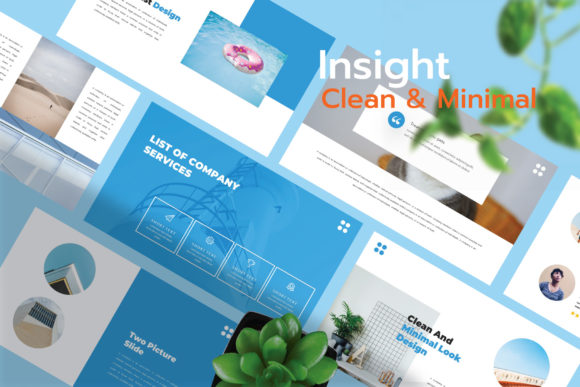
The personality of Insight is one of elegance and professionalism. It leverages modern typography and a restrained color palette to create a serene, focused environment for your content. The design avoids unnecessary ornamentation, relying instead on strong visual hierarchy and generous whitespace. This isn't a template that tries to be the loudest in the room; it’s the one that ensures your audience listens. The included infographics, charts, and icons are designed in the same minimalist style, allowing for data visualization that feels integrated and clean, not bolted on.
For anyone involved in brand identity work, the consistency of Insight is a significant advantage. A brand identity relies on uniformity across all touchpoints. Using this template for internal reviews, client pitches, or investor meetings reinforces a brand image of precision and thoughtful design. The master slides ensure that every page maintains the same structural integrity, which is crucial for professionalism and audience engagement. When your slides are consistent, your message becomes the sole focus.
Practical Applications Across Industries
The strength of a minimalist PowerPoint lies in its versatility. Here’s how different professionals can leverage Insight:
- For Designers and Creatives: Use it to present project concepts, mood boards, or portfolio case studies. The clean backdrop makes your work—whether it's graphic design, photography, or packaging design—the hero. The drag and drop object placeholder simplifies the process of inserting your own images and mockups.
- For Entrepreneurs and Marketers: Create compelling business plans, marketing strategies, and quarterly reports. The infographics and charts included are perfect for translating complex data into understandable visuals. The template’s professionalism helps build credibility with stakeholders and potential investors.
- For Bloggers and Content Creators: Develop engaging webinar slides, online course materials, or social media content series. The 16:9 widescreen format is optimized for digital viewing, and the easy color customization allows you to align the slides with your existing brand identity.
- For Educators and Publishers: Structure lectures, workshops, or editorial presentations with clarity. The fully editable text and shapes mean you can adapt the template to any subject matter, from academic research to creative writing outlines.
Working With the Template: A Practical Guide
Getting the most out of Insight requires more than just swapping in your content. Here’s how to approach it effectively:
First, evaluate the fit. Is your audience expecting a dynamic, high-energy pitch or a thoughtful, detailed briefing? Insight suits the latter. Its strength is in creating a calm, authoritative atmosphere. If your content is highly technical or data-dense, the clean layouts provide the necessary readability without visual competition.
Next, consider your font pairing. While Insight provides a modern typography system, you might want to incorporate a premium font from your brand’s toolkit for specific headings or quotes. A good rule of thumb is to pair the template’s clean sans serif font with a complementary serif font for body text, or vice versa, to create contrast and guide the reader’s eye. Always test pairings on a few slides to ensure they maintain readability at various sizes.
Use the included design assets wisely. The icons and elements are there to support your points, not decorate the slides. Use an icon to represent a key concept in a list, or a subtle shape to create a visual anchor. Avoid overloading a single slide with multiple graphical elements. The minimalist philosophy means every addition should have a clear purpose.
Finally, remember the note: photos are not included. This is actually a benefit. It forces you to source high-quality, relevant imagery that directly supports your narrative. Use the drag and drop placeholders to test how different photographs interact with the layout. A powerful, evocative image centered on a clean slide can have more impact than a busy collage.
Making It Your Own
The true power of Insight – Minimalist PowerPoint is its adaptability. The easy to change colors feature means you can shift the entire mood of the presentation in minutes. Transform it from a corporate blue to a warm, creative terracotta palette with a few clicks. The 40+ unique custom slides give you a robust starting framework, but don’t be afraid to duplicate and modify layouts to suit a specific section of your talk.
Think of this template not as a finished product, but as a sophisticated design asset. It provides the structure, the visual hierarchy, and the modern design foundation. Your content, your brand voice, and your strategic message are what bring it to life. By focusing on clear communication and leveraging the template’s inherent strengths in organization and elegance, you can create presentations that are not only seen but truly remembered for their clarity and professionalism.