Congue Google Slide Template: Design with Impact
Let's be honest: most presentation templates look like they were designed in a hurry. They're either painfully corporate or so overloaded with decorative elements that your actual message gets lost. The Congue Google Slide Template takes a different approach. It’s built on the principle that a presentation should serve your content, not compete with it. This isn't just a collection of pretty slides; it's a versatile design system for anyone who needs to communicate ideas clearly and professionally. Whether you're a marketer pitching a new campaign, an entrepreneur outlining a business plan, or a teacher creating educational materials, Congue provides a foundation that makes your work look polished without requiring a design degree.
A Visual Language That Works For You
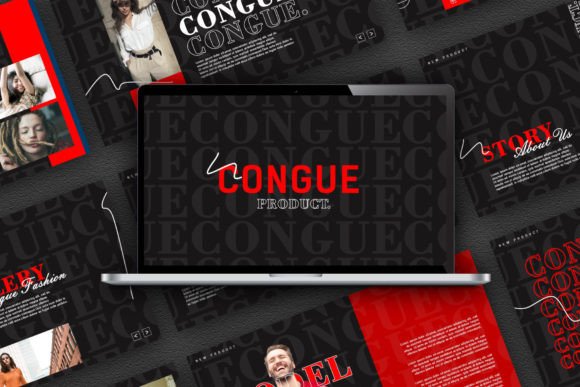
First impressions matter, and Congue’s visual character strikes a careful balance. It leans into modern typography with a clean, readable sans serif font as its backbone, ensuring your text is always accessible. The layout is structured yet flexible, using ample white space to give your content room to breathe. This isn't a template shouting for attention with flashy animations; its strength is in its quiet confidence. The overall appeal is one of professionalism and clarity, making it suitable for everything from a serious market research report to a vibrant food marketing pitch. The personality is adaptable—it can feel innovative for a tech startup or warm and inviting for a community workshop, simply by swapping out images and color accents.
The design choices are intentional. The use of vector-based icons and predefined text styles creates a consistent visual hierarchy across every slide. This means your audience’s eye is guided naturally from a main headline to supporting points, improving both readability and information retention. The full color presentation palette is designed to be easily modified, allowing you to align every slide with your brand identity in minutes. For anyone building a recognizable brand, this consistency is invaluable. It reinforces brand perception and professionalism across all your communications, from internal training decks to public-facing social media graphics.
Finding the Right Fit: Where Congue Excels
The true test of any design asset is its versatility. The Congue template shines in scenarios where you need to present complex information in a digestible way. Its structured layouts are perfect for editorial design-style presentations, like a post-launch review or a detailed market research summary. The editable charts are a standout feature, allowing you to visualize data without struggling with clunky tools. For entrepreneurs, this means turning raw numbers into a compelling story for investors. For educators, it means creating clear, engaging lesson plans that hold students' attention.
It’s equally at home in creative fields. A food blogger could use it to structure a stunning recipe post or a restaurant review, leveraging the images placeholder and drag and drop image functionality to create a visual feast. A graphic designer might use it to present logo design concepts or packaging design mockups to a client, using the unique mockup devices to showcase work in a real-world context. The template effectively becomes a digital portfolio piece in itself. For marketing teams, it’s a powerhouse for creating everything from social media impact studies to campaign proposals, ensuring every presentation feels cohesive and on-brand. This adaptability makes it a practical tool for small business owners and content creators who wear many hats and need assets that can keep up.
Practical Guidance for Getting the Most Out of Congue
Choosing a template is the first step; using it effectively is the next. Before you dive in, take a moment to evaluate your project’s core need. Is the primary goal to inform, persuade, or inspire? Congue’s neutral yet professional style supports all three, but your content strategy will dictate how you use its layouts. For a data-heavy report, lean into the chart slides and use the clean typography to let the numbers speak. For a creative pitch, use the full-bleed image slides to create an emotional connection first, then back it up with text.
A key strength is its font pairing potential. While the default typeface is excellent, consider how it works with your existing brand fonts. Test your primary headline font against the template’s body text style to ensure harmony. The master slides feature is your best friend here—make global changes to fonts and colors once, and they’ll update throughout the entire presentation, saving you hours and guaranteeing consistency. Always do a final readability check on your own content. View the slides in presenter mode to ensure text sizes are comfortable and color contrasts meet accessibility standards.
Remember, this is a premium font and template system, meaning it’s built for commercial use. You can confidently use it for client work, business presentations, and published materials. It’s a worthwhile investment for anyone who regularly creates presentations, as it elevates the perceived value of your work. Think of it not as a cost, but as a tool that enhances your brand identity and saves you creative energy. The free support included is a practical bonus, offering help if you hit a technical snag. Ultimately, the Congue Google Slide Template is about giving you a professional framework so you can focus on what really matters: your message.